
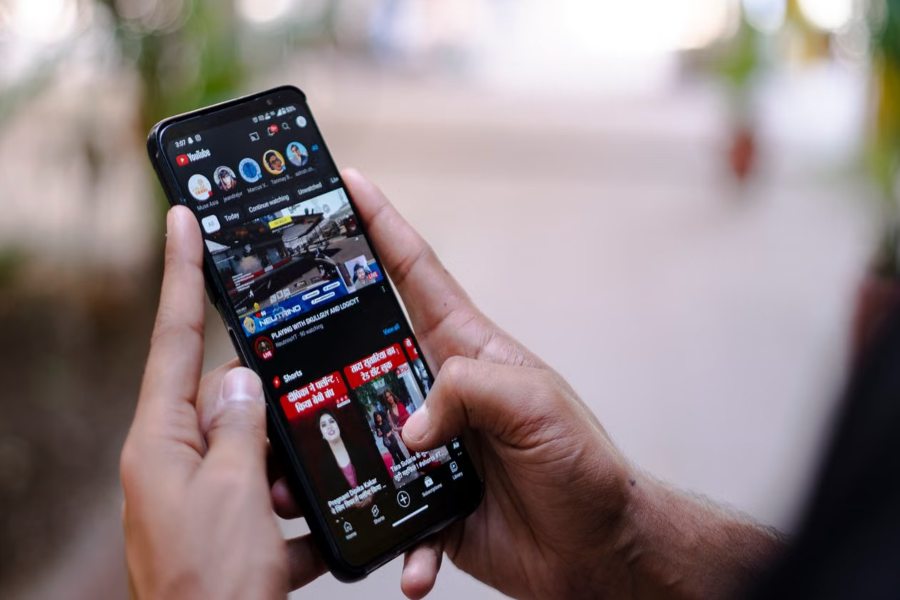
YouTube’s own data confirms that 90 percent of top-performing videos use custom thumbnails. The average channel click-through rate sits between 2 and 10 percent, but the channels consistently pulling in subscribers and recommendations hit 12 to 15 percent and above. The difference between a 2 percent CTR and a 7 percent CTR on the same video is often not the title, not the topic, and not the posting time. It is the thumbnail.
The problem has always been practical. Designing a high-quality thumbnail requires composition skills, design software knowledge, and time that most YouTube creators do not have. Templates help but produce recognizable generic outputs that look like every other channel using the same tool. AI Image Generator changes this by producing original, 4K thumbnail imagery from a plain-language description, with access to more than 15 AI image models on higgsfield including Nano Banana Pro, Seedream, FLUX, and GPT Image, and a free plan to start. This guide explains exactly how to use an AI Image Generator to produce thumbnails that perform, from understanding what makes a thumbnail work to the prompting workflow that produces click-worthy output on the first or second generation.
Why Does a YouTube Thumbnail Matter More Than the Video Title in 2026?
The viewer’s decision to click or scroll happens in approximately 0.3 seconds. In that window, the brain processes the thumbnail visually before the title is even registered as text. The thumbnail is the first signal. The title is the confirmation of what the thumbnail communicated. If the thumbnail fails the 0.3-second test, the title is never read.
According to WayinAI’s 2026 thumbnail research, channels that implement consistent, professionally styled thumbnails see 15 to 20 percent higher CTRs from their existing subscriber base compared to those using inconsistent or generic thumbnails. This is significant because subscriber CTR feeds directly into how aggressively YouTube recommends a video to non-subscribers: higher engagement from existing subscribers signals to the algorithm that the video is worth distributing more broadly.
The practical consequence for creators is that a thumbnail is not a design task at the end of video production. It is a traffic decision that affects how many people see the video at all. A single creator who improved their thumbnail quality saw CTR jump from 2.3 percent to 7.1 percent in 30 days, according to case study data from the Medium analysis of thumbnail CTR performance in 2026. That is more than a threefold increase in the number of people who watched the video from every impression the algorithm served.
What Makes an AI Image Generator Better Than a Template Tool for Thumbnails?
Template-based design tools lower the barrier to producing a thumbnail but do not eliminate the creative decisions that determine whether the thumbnail works. With a template, the creator still needs to choose which template matches the video’s emotional register, which colors to use, how to position elements, and whether the composition will stand out against the videos surrounding it in search results.
An AI Image Generator produces an entirely original image from a description rather than adapting a pre-existing layout. This means the output is not constrained by what templates exist. The creator describes the specific scene, mood, color palette, and visual energy they want, and the generator produces it.
Higgsfield’s platform provides this capability across more than 15 models in a single browser-based workspace. Nano Banana Pro produces native 4K output with precise instruction-following and flawless text rendering within images, which matters for any thumbnail where a number, a keyword, or a label needs to appear accurately inside the generated image rather than being overlaid in post. Seedream produces ultra-realistic photographic output at native 4K, making it the right model for face-forward thumbnails where the quality of the portrait determines whether the thumbnail reads as professional or low-effort. FLUX maintains consistent visual style across a series of thumbnail generations when a reference image is uploaded alongside the prompt, which is the practical mechanism for building a recognizable channel visual identity across dozens of uploads. GPT Image handles complex multi-element compositions where multiple subjects, objects, or scene elements need to appear in specific spatial relationships within the frame.
These models are all switchable within the same Higgsfield workspace in a single click, without managing separate subscriptions.
Why Does a YouTube Thumbnail Matter More Than the Video Title in 2026?
The three visual decisions that determine whether a thumbnail stops a scroll are contrast, subject clarity, and emotional signal. Each can be controlled directly through how a prompt is written for an AI Image Generator.
Contrast determines whether the thumbnail is visible at mobile scale. Most YouTube viewers browse on phones, where thumbnails display at roughly 120 by 68 pixels before being tapped. A thumbnail that looks detailed and interesting at full size but becomes indistinct at mobile scale fails the most important display context. High contrast between the central subject and the background, achieved through bold background colors against a lighter subject or a bright subject against a dark environment, ensures the thumbnail reads clearly at any display size.
Subject clarity determines what the viewer understands in 0.3 seconds. A thumbnail with too many elements requires more than 0.3 seconds to process, which means the attention has already moved to the next video. The most consistently high-performing thumbnails show one primary subject, clearly defined against the background, with nothing competing for visual attention at first glance.
Emotional signal determines the viewer’s motivation to click. YouTube engagement research consistently shows that faces outperform non-face thumbnails when the facial expression matches the emotional promise of the video. A face showing genuine surprise on a reaction video, focused concentration on a tutorial, and genuine excitement on an entertainment video each communicate “this video delivers the emotion I want” before the title is read. When no face is appropriate for the content, the emotional signal comes from the visual energy of the scene itself.
Which Higgsfield AI Image Generator Models Work Best for Different Thumbnail Styles?
| Thumbnail Style | Best Model on Higgsfield | Why It Works |
| Photorealistic face-forward thumbnails | Seedream | Ultra-realistic facial expression rendering, native 4K portrait quality |
| Bold conceptual and abstract backgrounds | FLUX | Consistent visual style across a channel series, strong color and mood control |
| Text-within-thumbnail with stats or labels | Nano Banana Pro | Flawless text rendering within generated image, native 4K output |
| Stylized or editorial channel aesthetics | Reve | Illustrative output for creative, entertainment, or artistic channels |
| Complex multi-element scene thumbnails | GPT Image | Accurate spatial composition with multiple distinct elements in frame |
The channel type and content niche determines which model combination produces the strongest thumbnail. A technology review channel benefits from Seedream for product-focused photorealistic thumbnails. A gaming or entertainment channel benefits from FLUX for stylized backgrounds and Nano Banana Pro for any thumbnail that includes a bold number or keyword within the image. An educational channel covering data or analysis benefits from GPT Image for complex diagram or concept thumbnails and Nano Banana Pro for any text accuracy requirement.
Switching between these models in Higgsfield takes a single click within the same session, which means a creator can test the same thumbnail concept across two or three models within one generation session and select the output that best serves the specific video.
How Do You Write a Prompt That Generates a High-CTR Thumbnail?
This is where most creators using AI image generation for thumbnails underperform. The prompt is the creative brief. A generic prompt produces a generic thumbnail. A prompt written with the viewer’s 0.3-second decision in mind produces something that serves that moment specifically.
Five elements make a thumbnail prompt specific enough to produce a click-worthy result.
Background scene describes what the viewer sees behind the main subject. For YouTube thumbnails, this is where color contrast and visual energy are established. Rather than “a dark background,” describe “a deep navy blue background with subtle gradient lighting from upper left, creating a dramatic spotlight effect on the central subject.” The specificity gives the model the visual direction to produce the contrast the thumbnail needs.
Color palette specifies the primary and accent colors. YouTube thumbnails compete with dozens of adjacent videos in search results and suggested feeds. Specifying bold, saturated colors that contrast with common YouTube palette defaults (red and white, black and yellow) can make a thumbnail visually distinct in its display context. Higgsfield’s Nano Banana Pro and FLUX both respond precisely to color specification in prompts.
Emotional expression is the most important element for face-forward thumbnails. Rather than “a surprised expression,” write “a person with eyes wide, eyebrows raised, mouth slightly open in genuine shock, looking directly toward the left third of the frame.” The directional instruction matters: faces looking toward the center of the screen, or toward text that appears alongside the thumbnail in YouTube’s layout, produce higher CTR than faces looking away from the viewer or toward the edge of the frame.
Text zone describes a clear area within the composition where text overlay will be added after generation. Rather than generating a thumbnail that fills the entire frame with detail, specifying “clear flat area in the lower right third of the frame with minimal visual complexity” reserves space for the creator to add a title keyword or number in post. Higgsfield’s AI Image Generator produces this compositional zone when explicitly requested.
Aspect ratio and export specification should appear at the end of every thumbnail prompt: “16:9 horizontal composition, 1280×720 pixels, photorealistic, 4K output.” YouTube’s recommended thumbnail dimensions are 1280×720 at a minimum of 72 DPI, and generating at the correct aspect ratio from the start produces an image that fits the platform without distortion.
A weak prompt for a finance YouTube channel: “A person looking surprised with money in the background.”
A strong prompt for the same channel: “Head and shoulders portrait of a man in his thirties, dark suit, shocked expression with wide eyes and raised eyebrows, looking directly at viewer, deep emerald green background with subtle vignette, dramatic studio lighting from upper left, clear open space in the lower right third of frame, photorealistic, 1280×720, 4K.”
The strong prompt gives Higgsfield’s model enough direction to produce something that serves the specific CTR function the thumbnail needs to perform.
What Is the Step-by-Step Workflow from Idea to Published Thumbnail?
The following workflow is designed for YouTube creators integrating Higgsfield’s AI Image Generator into their regular upload process.
Step 1: Write Down Three Emotion Words for Your Video
Before opening any generation tool, write down the three emotions you want a viewer to feel in the first 0.3 seconds of seeing the thumbnail. For a tutorial: capable, confident, motivated. For a reaction video: curious, amused, surprised. For a review: informed, authoritative, decisive. These three words become the emotional specification for the entire prompt and govern every other creative decision in the generation.
Step 2: Build Your Prompt Around Those Emotions and Your Niche Visual Style
Using the five-element framework above, build a prompt that encodes the three emotion words into concrete visual instructions. Translate each emotion into a visual decision: “confident” becomes “direct gaze at camera, slight forward lean, bold contrasting background.” “Surprised” becomes “wide eyes, raised brows, open mouth, dramatic lighting.” Write the full prompt before generating, not iteratively as you go.
Step 3: Choose the Right Model for the Output You Need
Select the model based on the thumbnail style you need. Portrait-forward with a real person: Seedream on Higgsfield. Stylized background for a bold concept: FLUX. Thumbnail with a number or keyword that needs to be legible within the image: Nano Banana Pro. Illustrative or artistic channel style: Reve. Multi-element or complex scene: GPT Image. Making this model selection before generating rather than after reduces the iteration required to reach a usable output.
Step 4: Generate Multiple Variations and Apply the Squint Test
Generate three to five variations, adjusting one element per generation to isolate what is working. Once you have a strong candidate, apply the squint test: reduce your screen brightness, squint at the thumbnail, and check whether the main subject and color contrast are still visible and clear. If the thumbnail blurs into indistinction at reduced visibility, it will fail the mobile display test at the scale YouTube uses for suggested videos. Higgsfield’s 4K output means the generated thumbnail retains enough resolution to pass this test when the generation itself was produced with adequate contrast and subject clarity.
Step 5: Export at 1280×720 and Add Text Overlay
Use Higgsfield’s AI Image Resizer to confirm the output is correctly formatted at 16:9 before exporting. Add any title keyword, number, or short phrase as a text overlay in a simple design tool. Keep the text overlay to five words maximum, use a sans-serif font at high contrast with the background, and position it in the clear zone you specified in the prompt. The combination of Higgsfield’s generated background scene and a clean text overlay produces a thumbnail that reads as more professionally produced than either element alone.
Step 6: Run an A/B Test and Track CTR in YouTube Studio
Upload two or three thumbnail variations for the same video using YouTube Studio’s thumbnail test feature. After 48 to 72 hours of data collection, review the CTR for each variant in the Analytics section. The winning thumbnail reveals which prompt structure, color combination, or emotional expression produced the best audience response for that content type. Save the winning prompt structure as a template for future videos in the same series or category.
How Do You Maintain a Consistent Thumbnail Style Across Your Channel?
Channels with consistent thumbnail styling see 15 to 20 percent higher CTRs from subscribers compared to channels with inconsistent visual styles, according to the 2026 thumbnail analysis data from the Medium research cited earlier. This is because subscribers who recognize a creator’s thumbnail aesthetic from the subscription feed are more likely to click before reading the title.
Building this consistency using Higgsfield’s AI Image Generator requires one setup step and one rule. The setup step: generate one approved thumbnail that represents the channel’s ideal visual direction. This becomes the reference image for every subsequent thumbnail generation. When this reference is uploaded alongside each new prompt in Higgsfield, the output matches the color temperature, lighting direction, and compositional style of the established channel aesthetic.
The rule: keep 80 percent of the visual elements consistent across every thumbnail in a series and vary only 20 percent, typically the central subject or scene while maintaining background style, color palette, and lighting approach. This 80/20 approach prevents visual monotony within a series while maintaining the brand recognition that lifts subscriber CTR.
FLUX on Higgsfield is the most effective model for channel consistency because of its precise response to reference image inputs and its consistent rendering behavior across multiple sessions. A creator who saves a working FLUX prompt for their channel’s thumbnail style can generate every new thumbnail in that style in under ten minutes per video without rebuilding the creative direction from scratch.
What Are the Five Thumbnail Mistakes That Hurt Your CTR?
Understanding what to avoid is as practical as knowing what to aim for. The Medium research on thumbnail CTR in 2026 identified five consistent patterns across underperforming thumbnails.
Too much text is the most common mistake. YouTube displays thumbnails at sizes where more than five words become illegible on mobile. Thumbnails that try to summarize the video in the image itself compete with the title text that YouTube displays alongside it, producing visual clutter rather than visual clarity.
Generic stock-style backgrounds are the second. When a thumbnail looks like it came from a stock photo site or a basic Canva template, it communicates a low production standard before the video plays. AI generation through Higgsfield produces original background scenes that cannot appear on any other channel’s thumbnail, which eliminates this perception problem entirely.
Faces looking away from center are the third. Portrait-forward thumbnails perform best when the subject makes eye contact with the viewer or looks toward the title text alongside the thumbnail. A face looking away from the viewer directs attention out of the thumbnail frame rather than into engagement.
Low contrast between text and background is the fourth. Text that is technically readable on desktop becomes illegible on mobile when the contrast ratio is insufficient. Specifying bold background colors and reserving a clear zone for text overlay in the prompt prevents this from occurring in the generated output.
Thumbnails that do not match the emotional promise of the video are the fifth. A thumbnail showing shock and surprise on a calm tutorial, or serious authority on a comedic entertainment video, creates a mismatch between the expectation set by the thumbnail and the content delivered by the video. This produces low viewer satisfaction scores, which negatively affects algorithmic recommendation regardless of CTR.
Is an AI Image Generator Worth Adding to a YouTube Creator’s Content Workflow in 2026?
For any creator whose current thumbnail workflow relies on template tools, generic stock imagery, or rushed phone screenshots, the answer is yes. Higgsfield’s free plan provides daily generations for evaluation before any subscription commitment, meaning the first experiment with AI-generated thumbnails costs nothing.
The workflow compression is significant. A thumbnail that used to take 45 to 60 minutes of template editing, stock searching, and layer adjustment in Canva can now be produced in 10 to 15 minutes through a generation session in Higgsfield, a quick squint test across variations, and a simple text overlay in any basic editing tool. The output quality, particularly from Seedream for photorealistic face thumbnails and Nano Banana Pro for text-accurate thumbnails, consistently exceeds what template tools produce for creators without advanced design skills.
As YouAudioDown’s coverage of when YouTube Shorts came out and how the format changed creator behavior illustrates, the platforms that reward consistent, high-quality visual execution continue to expand their footprint in creator workflows. AI image generation through Higgsfield is one of the most practical ways for a creator to raise the visual quality of their channel presence without raising the time investment required to maintain it.